What Should You Ask After an AI PDF Summary? 12 Smart Questions to Get Better Insights

Long PDF documents can take hours to read, especially when they contain technical information, research findings, tables, and detailed explanations. Whether it is a business report, academic paper, product manual, or industry study, finding the most useful information often requires going through several pages.
An AI PDF summarizer can make this process much easier. It extracts important information and turns lengthy documents into shorter summaries that are easier to understand. However, a summary does not always answer every question a reader might have.
The next step is to explore the information more carefully. Asking follow-up questions can help clarify technical terms, identify assumptions, uncover missing context, and examine statements that may appear inconsistent.
Knowing what to ask after an AI PDF summary is particularly useful for students, researchers, professionals, and anyone who regularly works with digital documents.
Why a PDF Summary Should Not Be the Final Step
A summary provides an overview of a document, but it may leave out details that are important for understanding the complete picture.
For example, a research paper might report positive results from an experiment. A short summary may mention the findings without explaining the testing conditions, sample size, or limitations. Similarly, a business report might recommend a particular strategy without including every assumption behind that recommendation.
This is why follow-up questions matter. They allow readers to move beyond the main points and investigate the reasoning behind them.
Instead of asking an AI tool to summarize the same document repeatedly, readers can use specific questions to examine individual sections and understand how different pieces of information connect.
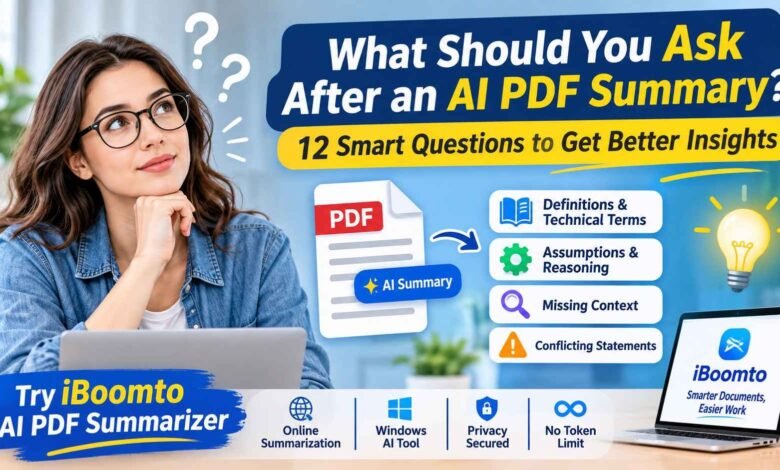
12 Questions to Ask After Getting an AI PDF Summary
The quality of an AI response often depends on how clearly the question is written. General prompts may produce broad answers, while specific questions can help uncover useful information.
Here are four categories of questions worth trying.
1. Questions About Definitions and Technical Terms
Technical documents often contain unfamiliar terminology, abbreviations, and concepts. A summary might mention these terms without providing enough explanation.
If you encounter something you do not understand, try asking:
- What does [specific term] mean in this document?
- Explain this technical concept in simple language.
- What is the difference between [Term A] and [Term B]?
- Can you provide a practical example of how this concept works?
These questions are useful when reading academic papers, scientific research, financial reports, and technical manuals.
For instance, if a research paper discusses machine learning models, you can ask the AI to explain a particular method in simpler language and describe why the researchers selected it.
2. Questions About Assumptions and Reasoning
Most documents contain arguments or recommendations based on certain assumptions. Some are clearly explained, while others are less obvious.
Understanding these assumptions helps readers evaluate the strength of the information.
Useful questions include:
- What assumptions does the author make when reaching the main conclusion?
- Which assumptions are supported by evidence?
- Does the argument depend on any conditions that might not always be true?
- How would the conclusion change if one of the main assumptions were incorrect?
Consider a business report that predicts higher sales based on expected customer demand. Asking which assumptions support that prediction can help readers understand how reliable the recommendation might be.
3. Questions About Missing Context
A short summary may not include all the background information needed to understand a finding. Important details can include research methods, historical developments, limitations, or supporting evidence.
To investigate these areas, try asking:
- What background information is necessary to understand the main conclusion?
- Are there important details missing from the summary?
- What limitations does the original document mention?
- Which sections should I read before relying on this conclusion?
These prompts are especially helpful when reviewing legal documents, research papers, financial reports, and policy guidelines.
They also encourage readers to check the original material rather than treating a shortened explanation as a complete representation of the source.
4. Questions About Conflicting Statements
Long documents sometimes contain information that appears inconsistent. Different sections might present different figures, explanations, or conclusions.
Rather than immediately assuming that one statement is incorrect, ask the AI to examine the differences.
For example:
- Are there statements in this document that appear to contradict each other?
- Do the figures in the results section match those in the conclusion?
- Does the author provide different explanations for the same issue?
- Identify possible inconsistencies and show the relevant page numbers.
Page references are particularly useful because they help readers return to the original sections and verify the information themselves.
How to Summarize a PDF Online Using an AI Tool
Once you know what information you want to find, an online PDF summarizer can help you get started without installing additional software.
The process is generally straightforward.
Step 1: Open an Online AI PDF Summarizer
Start by choosing a tool that can analyze PDF documents and organize the extracted information into a readable summary.
For example, iBoomto AI PDF Summarizer provides an online option for working with PDF content.
Step 2: Upload Your PDF Document
Open the summarizer and select the PDF file you want to analyze. Choose the document from your computer and upload it through the available interface.
Before uploading, make sure the file is readable and does not contain unnecessary or corrupted pages.
Step 3: Generate the Summary
After adding the document, start the summarization process. The AI analyzes the available content and identifies the main ideas, important details, and key findings.
Depending on the document, the resulting summary can help you understand:
- The central topic and purpose.
- Important arguments and findings.
- Relevant statistics and information.
- Main recommendations and conclusions.
- Important sections that deserve further review.
A shorter summary is often enough to understand the overall direction of a document before examining individual details.
Step 4: Ask More Specific Questions
Do not stop after reading the initial summary. Think about which parts need further explanation.
For example, you can ask the AI to explain a technical term, clarify an assumption, identify missing information, or compare statements from different sections.
This makes the process more interactive. Instead of searching through the entire document manually, you can focus on the information that matters to your task.
You can try iBoomto’s AI PDF Summarizer to explore this type of document workflow.
Step 5: Check the Original Document
AI-generated answers should be treated as assistance rather than unquestionable facts. Review important statements against the original PDF, particularly when dealing with financial figures, legal conditions, research findings, or business decisions.
If the answer refers to a particular page or section, return to that part of the document and check whether the explanation accurately reflects the original content.
Step 6: Save Useful Information
Once you have found the details you need, organize the results into notes or a separate document.
You might save the main summary, important explanations, supporting figures, and questions that still require investigation. This can be useful when preparing assignments, presentations, research reports, or workplace documentation.
What Makes a Good AI PDF Summarizer?
Choosing a summarization tool involves more than checking whether it can shorten a document. The features available can influence how useful the results are.
Here are a few things worth considering.
Clear summaries: The tool should organize important information into readable sections rather than simply producing a large block of text.
Document understanding: It should be able to identify the main ideas and understand how different sections relate to each other.
Follow-up questions: Interactive features make it easier to investigate specific details after the initial summary.
File compatibility: Support for different document types and complex layouts can be helpful for people who regularly work with reports, tables, and research materials.
Privacy options: Users should understand how their files are processed, particularly when working with confidential business or personal information.
A tool that combines these capabilities can be more useful than one that only produces a short overview.
Explore iBoomto for More Than Online PDF Summarization
For occasional tasks, an online summarizer may be enough. However, people who regularly handle reports, research papers, spreadsheets, and other documents may prefer a more complete document-processing environment.
iBoomto offers online document tools as well as a Windows desktop application called iBoomto AI.
The desktop application brings several document-related tasks into one workspace. Instead of switching between separate applications for summarization, information extraction, and PDF editing, users can access multiple functions through a single interface.
Some of its capabilities include:
- Document summarization: Turn lengthy files into shorter, organized explanations.
- Information extraction: Find relevant text, figures, tables, and other details from documents.
- AI document chat: Ask questions about files and explore their contents through natural-language prompts.
- PDF editing: Work with text, pages, annotations, compression, and document organization.
- Document comparison: Compare different versions and identify changes or inconsistencies.
- Document creation: Generate structured reports, Word documents, spreadsheets, presentations, and other outputs.
One of the notable aspects of iBoomto AI is its support for both online and local AI models. Users can choose between available online models and compatible local models depending on their requirements.
How to Download and Use the Free iBoomto Windows Tool
Getting started with the desktop application does not require advanced technical knowledge.
1. Visit the Official Website
Open iBoomto’s official website and find the Windows desktop application download option.
2. Download and Install the Application
Download the installer and follow the instructions to install iBoomto AI on your Windows computer. Launch the application after installation.
3. Choose an AI Model
The application supports online and local AI models. You can select an available online model or download a compatible local model for on-device processing.
4. Add Your Documents
Import the PDF or another supported file you want to work with. You can then choose the task you need, such as summarizing, extracting information, analyzing content, or comparing documents.
5. Describe What You Need
Use a ready-made function or enter your own instructions. For example, you could ask the application to summarize a research paper, extract important figures from a report, or identify differences between two documents.
6. Review and Export the Results
Check the generated information, make any necessary adjustments, and export or save the finished document in a suitable format.
Online and Local AI Models: What Is the Difference?
Online AI models process requests through internet-based services, making them convenient when you want to use available cloud AI capabilities.
Local AI models work differently. Once downloaded and configured, supported models can process compatible tasks directly on your computer without sending document content to an external AI service.
This is particularly relevant when privacy matters. Local processing gives users greater control over their documents and can also support offline work after the required model has been downloaded.
According to iBoomto, its local AI model experience offers free usage without token charges or credit limits. Users can process documents without paying per-token fees for local model usage. The available model size and performance will depend on the computer’s hardware.
It is worth remembering that online and local processing do not necessarily follow identical usage conditions. Users should check the available model and feature requirements before starting a particular task.
Final Thoughts
An AI PDF summary can save time, but its real value depends on what you do with the information afterward. Asking questions about definitions, assumptions, missing context, and conflicting statements helps you understand a document beyond its main points.
The best approach is to use AI as a research assistant rather than a replacement for careful reading. Start with a summary, investigate the areas that need clarification, and verify important findings against the original source.
For quick document tasks, an online tool such as iBoomto AI PDF Summarizer offers a convenient starting point. For people who regularly work with different types of documents, the iBoomto Windows AI application provides additional capabilities, including local AI models, document analysis, information extraction, and PDF editing.
With better questions and a reliable review process, working through lengthy documents can become a much more manageable task.