Getting the best performance from a computer requires more than choosing powerful hardware. Software compatibility, component balance, and graphics settings all influence how smoothly a PC handles demanding applications and modern games. Whether you are building a new gaming system or improving an existing one, understanding these factors can help you make smarter decisions. Tools such as an automatic driver updater, a bottleneck calculator, and an FPS calculator can make PC performance easier to evaluate and manage.
Keep Your Hardware Updated with an Automatic Driver Updater
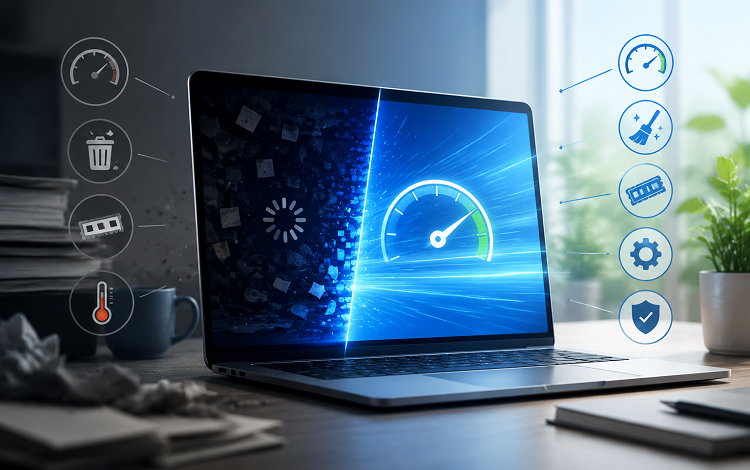
Drivers allow Windows and software applications to communicate with hardware components. Your graphics card, motherboard, audio device, and network adapter all depend on compatible drivers to operate correctly. When drivers become outdated or corrupted, you may experience hardware errors, connection problems, graphical glitches, or unexpected crashes.
An automatic driver updater can simplify the process of finding and installing suitable driver updates. Instead of manually checking every hardware manufacturer’s website, users can scan their systems and review available updates from one interface. Depending on the software, these tools may also identify missing drivers and help users manage existing versions.
Keeping graphics drivers updated is particularly important for gaming. Graphics manufacturers regularly release updates that improve compatibility with newly released titles, fix known bugs, and sometimes optimize performance. Network and audio driver updates can also contribute to a smoother overall experience.
However, an automatic driver updater should always be chosen carefully. Not every available update is necessary, and installing an incompatible driver can create new problems. Choose reputable software that identifies hardware accurately, explains its recommendations, and provides backup or rollback options when possible. For critical components, checking the manufacturer’s official website is also a reliable approach.
Understand Hardware Limitations with a Bottleneck Calculator
A gaming PC performs best when its major components work together efficiently. However, one component can sometimes limit the performance of the others. This situation is commonly known as a hardware bottleneck.
For example, pairing a powerful graphics card with an older processor may prevent the GPU from reaching its full potential in CPU-intensive games. Similarly, a weaker graphics card may limit frame rates when playing visually demanding titles at high resolutions.
A bottleneck calculator helps estimate whether components such as the CPU and GPU are reasonably balanced. Users can enter their processor, graphics card, resolution, and other available details to receive an estimated compatibility or performance assessment.
This information can be useful when planning a new PC build or considering an upgrade. If a calculator suggests that the processor may limit performance in certain workloads, you can investigate whether upgrading the CPU would be worthwhile. It may also help prevent unnecessary spending on components that are unlikely to deliver meaningful improvements with your current hardware.
Still, calculator results should be treated as general guidance rather than exact measurements. Actual bottlenecks depend on the game, software, resolution, graphics settings, memory configuration, and background processes. A system that appears unbalanced in one game may perform very differently in another. Real-world benchmarks and performance monitoring provide a more complete picture.
Estimate Gaming Performance with an FPS Calculator
Frames per second, commonly called FPS, measures how many frames a computer displays each second. Higher and more consistent frame rates generally create smoother gameplay, especially in competitive titles where quick movements and accurate aiming matter.
An FPS calculator can help estimate the frame rate a computer might achieve in a particular game or workload. Depending on the tool, users may select their processor, graphics card, resolution, and game to receive an estimated performance range.
This can be useful before purchasing a new game or upgrading hardware. For example, someone considering a graphics card upgrade may want to compare expected performance at 1080p and 1440p. An FPS calculator can provide an initial reference and help narrow down suitable hardware options.
However, estimated FPS is not guaranteed performance. Actual results vary according to game optimization, graphics quality, driver versions, cooling, and system configuration. Multiplayer games may also behave differently depending on the situation and the number of players or visual effects on screen.
For more accurate results, compare calculator estimates with independent benchmarks and use an in-game FPS counter after installing or upgrading hardware.
Use These Tools Together for Smarter Upgrades
An automatic driver updater, bottleneck calculator, and FPS calculator serve different purposes, but they can complement one another. Start by checking whether your hardware drivers are current. Next, use a bottleneck calculator to understand whether your processor and graphics card are appropriately matched. Finally, consult an FPS calculator to estimate how your system may perform in the games you want to play.
After making changes, test your computer using real games and performance-monitoring tools. This helps you determine whether an upgrade or driver update has delivered noticeable benefits.
Conclusion
Improving PC performance starts with understanding how hardware and software work together. An automatic driver updater can simplify driver maintenance, a bottleneck calculator can help identify potential hardware limitations, and an FPS calculator can provide useful gaming performance estimates. Although these tools cannot replace real-world testing, they can help you make informed decisions, plan upgrades, and build a more balanced and reliable gaming PC.