southwestwifi.com: How to Connect to Southwest’s Inflight WiFi and Entertainment

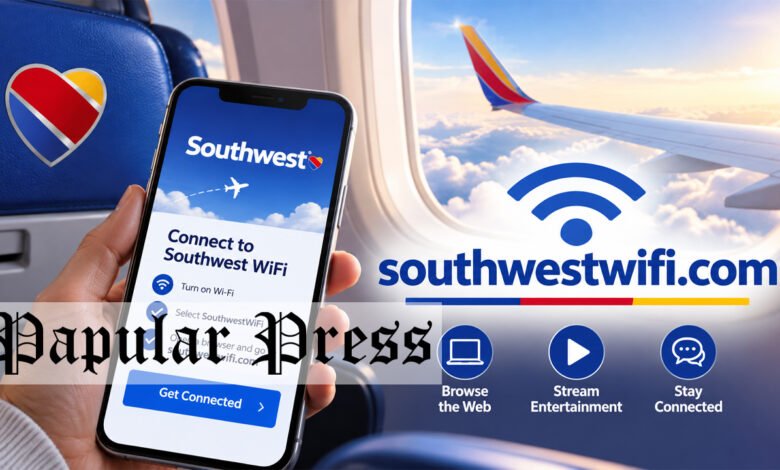
southwestwifi.com is the official web address Southwest Airlines directs passengers to for connecting to the airline’s inflight entertainment and WiFi service, and a direct review confirms it functions as intended, redirecting to Southwest’s own official inflight entertainment portal. This guide explains what the service actually offers, how to connect during a flight, and what to expect from the free entertainment and paid or Rapid Rewards linked WiFi options.
What southwestwifi.com Actually Is
A direct review confirms southwestwifi.com redirects visitors to Southwest Airlines’ own official inflight entertainment and internet page, hosted directly on southwest.com, confirming it functions as the airline’s own designated address for passengers trying to access onboard connectivity rather than as a separate, independently operated site.
How to Connect to the Service During a Flight
Southwest’s own guidance explains that passengers should first enable Airplane Mode on their device, then select the “Southwest® WiFi” network from their device’s available WiFi connections, after which they can either access the inflight portal automatically or visit southwestwifi.com directly to reach the same entertainment and connectivity options.
What Free Inflight Entertainment Includes
Southwest offers free inflight entertainment on select aircraft without requiring any downloads or account sign ups, including streaming movies, television series, and live TV channels, organized into categories such as New Releases, Family Features, TV Series, and Live TV, along with occasional themed spotlights tied to specific cultural observances.
Why No Sign Up Is Required for Entertainment Specifically
Unlike some airlines that require passengers to create an account or download a dedicated app before accessing inflight entertainment, Southwest’s free entertainment option is designed to work directly through a passenger’s mobile browser once connected to the onboard WiFi network, removing a common point of friction for travelers who simply want to watch something during the flight.
How WiFi Access Differs From Free Entertainment
While entertainment streaming is free and doesn’t require sign up, actual internet access through Southwest’s WiFi service works differently, with Rapid Rewards members receiving free WiFi access on designated aircraft equipped with T-Mobile connectivity, while other passengers may need to purchase a WiFi pass for that specific flight.
Why Some Apps and Activities May Be Restricted Onboard
Southwest’s own guidance notes that certain high bandwidth applications and activities, including video conferencing, may be restricted or limited on the inflight WiFi network, a reasonable limitation given the shared bandwidth available across an entire aircraft of connected passengers. Southwest Airlines’ own inflight entertainment and internet page explains these specific limitations and what passengers can generally expect from the onboard network’s performance.
Why Starlink WiFi Represents an Upcoming Upgrade
Southwest has been promoting an upgrade to Starlink satellite WiFi across its fleet, a transition that the airline frames as offering meaningfully faster and more reliable connectivity than previous inflight WiFi technology, though the specific aircraft offering Starlink access may vary depending on when a given plane was upgraded.
Why Checking Your Specific Aircraft’s Equipment Helps
Since not every Southwest aircraft offers the same entertainment and WiFi capabilities, particularly during a transition period between older WiFi technology and newer Starlink equipped planes, checking your specific flight’s amenities either through the Southwest app or by asking a flight attendant can help set accurate expectations before you board.
A Final Practical Habit Worth Carrying Forward
Whenever you board any flight expecting to use inflight WiFi or entertainment, taking thirty seconds to confirm you’re connecting through the airline’s own verified network name and official portal address, exactly as this guide describes for Southwest, is a quick habit worth carrying into every future flight regardless of carrier.
Business travelers hoping to work during a Southwest flight should plan around the possibility that video conferencing or other high bandwidth applications may be restricted, perhaps by preparing offline work or pre recorded materials as a backup in case the specific flight’s connection doesn’t support everything they’d hoped to do inflight.
Why Families Traveling With Children Benefit Most From Planning Ahead
Families traveling with children have the most to gain from understanding Southwest’s entertainment system in advance, since knowing the Family Features category exists and requires no sign up or download means parents can quickly settle kids into something age appropriate right after takeoff rather than fumbling with settings mid flight.
Why Downloading Content in Advance Still Makes Sense as a Backup
Even with Southwest’s reliable, no sign up entertainment system, downloading a show or movie to your own device before a flight remains a sensible backup plan, since any inflight system can occasionally experience technical issues, and having your own offline content ready means a brief glitch won’t ruin your plans for passing the time.
Why Keeping Your Device Charged Matters More on Longer Flights
Since both entertainment streaming and WiFi use rely on your own device’s battery rather than a built in seatback screen on most Southwest aircraft, bringing a portable charger or confirming your seat has a power outlet becomes especially important for longer flights where you plan to use these features throughout.
Why Noise Canceling Headphones Can Meaningfully Improve Long Flights
Pairing Southwest’s free entertainment system with a pair of noise canceling headphones, rather than standard earbuds, can meaningfully improve the experience on a longer flight, particularly given typical cabin noise levels that can otherwise make quieter dialogue harder to follow.
Why This Service Reflects a Broader Industry Shift Toward Free Access
Southwest’s move toward free, no sign up entertainment reflects a broader shift across the airline industry toward reducing friction for passengers, a trend worth appreciating given how many other everyday digital services still require an account or subscription before granting access to basic content.
Why Group Travelers Should Coordinate Entertainment Choices in Advance
A group of travelers flying together might find it worthwhile to briefly coordinate what everyone plans to watch or stream before boarding, simply so no one is left scrambling to pick something once the flight is already underway and attention quickly shifts to settling in.
Why This Guide Focused Specifically on Verified, Official Information
This guide relied specifically on Southwest’s own official page content rather than secondary sources, since for a service this directly tied to safe, accurate travel planning, going straight to the airline’s own confirmed guidance offers the most reliable foundation for the specific connection and entertainment steps described here.
Why Checking Seasonal Content Spotlights Can Add Extra Value
Southwest periodically rotates in themed entertainment spotlights tied to specific cultural observances, meaning checking what’s currently featured before a flight, rather than assuming the selection never changes, can occasionally surface content you wouldn’t have thought to look for otherwise.
Why Bringing Your Own Headphones Improves the Experience
Southwest’s inflight entertainment streams directly to your personal device rather than through seatback screens on most aircraft, meaning bringing your own comfortable headphones, rather than relying on whatever might be available onboard, generally makes for a noticeably better entertainment experience during the flight.
Why Checking the Southwest App Before Your Flight Helps
Downloading the Southwest app and checking your specific flight’s details before departure can sometimes reveal additional information about your particular aircraft’s amenities, giving you a clearer picture of what to expect beyond the general guidance available on the airline’s main entertainment and WiFi page.
If you’re planning to rely on inflight entertainment to pass the time during a longer Southwest flight, taking a moment before departure to confirm your specific aircraft supports the features you’re expecting, rather than discovering a limitation only once airborne, can help you plan an alternative, like downloading your own entertainment in advance, just in case.
Why Southwest’s Approach Differs From Some International Carriers
Southwest’s free, no sign up entertainment model reflects a specific business choice that isn’t universal, since some international carriers require a seat specific login code or a dedicated app download before granting access to similar inflight content, a difference worth knowing if you frequently compare the experience across airlines you fly.
What a First Time Southwest Flyer Should Expect
For a passenger flying Southwest for the first time, knowing in advance that the free entertainment requires no account and that inflight WiFi availability depends on both aircraft equipment and Rapid Rewards membership status can help set realistic expectations rather than being caught off guard by either option during the flight.
Why General Airline WiFi Safety Habits Still Apply Here
Even on a confirmed legitimate portal like this one, applying the same general caution you would on any public WiFi network, avoiding sensitive logins or financial transactions over an unencrypted inflight connection, remains sensible, since the underlying network technology shares some of the same general public WiFi characteristics regardless of which specific airline provides it. General guidance on staying safe while using public or inflight WiFi networks covers these same general precautions in broader terms.
Why Using the Official Address Matters for Security
Given how often travelers search generically for airline WiFi portals while already connected to an aircraft’s network, using the specific, correct address, southwestwifi.com, rather than clicking an unfamiliar link found through a general search, helps ensure you’re reaching Southwest’s own legitimate portal rather than a potential lookalike site mimicking an airline’s WiFi login page. General guidance on verifying you’re on an airline’s legitimate WiFi portal before entering any information covers this same verification habit as a sensible precaution for any inflight WiFi connection.
Why Rapid Rewards Membership Adds Value Here
Signing up for Southwest’s free Rapid Rewards loyalty program before your flight, if you haven’t already, gives you access to free WiFi on designated aircraft, making it worth doing even if you don’t otherwise plan to actively collect points, simply for the connectivity benefit on a longer flight.
Why Patience During Boarding Helps the Connection Settle In
Waiting a few minutes after takeoff, once the aircraft reaches a stable cruising altitude, before trying to connect, often results in a smoother experience than attempting to join the network immediately during the initial climb.
What to Do if the Portal Doesn’t Load Properly
If southwestwifi.com or the inflight portal doesn’t load as expected once you’re connected to the Southwest WiFi network, trying to reconnect to the network, restarting your device’s WiFi connection, or asking a flight attendant for assistance are all reasonable first troubleshooting steps before assuming something is wrong with your own device.
Why Comparing This to Other Airlines’ WiFi Portals Can Help
If you fly multiple airlines regularly, comparing how each one handles sign up requirements, free entertainment access, and loyalty linked WiFi benefits can help you set realistic expectations before boarding, since the specific setup Southwest uses here isn’t universal across every carrier. General background on comparing inflight connectivity options across different airlines covers this same comparison approach for travelers flying with more than one carrier.
Conclusion
southwestwifi.com is Southwest Airlines’ own official address for connecting to its inflight entertainment and WiFi service, offering free streaming entertainment without sign up and WiFi access that’s free for Rapid Rewards members on designated aircraft. Connect by selecting the Southwest WiFi network after enabling Airplane Mode, and check your specific flight’s equipment if you want to know whether Starlink’s faster connectivity is already available on your particular aircraft.
Frequently Asked Questions
Is southwestwifi.com an official Southwest Airlines website?
Yes, it redirects to Southwest’s own official inflight entertainment and internet page hosted on southwest.com.
Do I need to sign up for an account to watch free entertainment on Southwest flights?
No, Southwest’s free inflight entertainment works directly through your device’s browser once connected, without requiring any account or download.
Is Southwest’s inflight WiFi free for everyone?
Rapid Rewards members get free WiFi on designated aircraft, while other passengers may need to purchase a WiFi pass for that specific flight.
Why might some apps not work well on Southwest’s inflight WiFi?
High bandwidth activities like video conferencing may be restricted or limited due to the shared bandwidth available across the aircraft.
What is Starlink WiFi on Southwest flights?
It’s an upgraded satellite WiFi technology Southwest is rolling out across its fleet, offering faster and more reliable connectivity than older inflight WiFi systems.